Most founders who search how to get listed on G2 and Capterra expect a form. What they find is stranger. Your product may already have a page someone built from your homepage, G2 now runs Capterra too, and the category you end up in is the platform’s call, not yours. So here’s the short answer: search both sites for your product first, claim the page if it exists, request one through G2’s vendor flow if it doesn’t, then make the profile earn its keep with accurate details and honest reviews from real customers.
That’s why these aren’t ordinary software submission sites. A launch directory rewards a good form. A review marketplace rewards a complete profile, a category you genuinely qualify for, and a steady flow of reviews that survive moderation. Get those three right and your page stops being a placeholder with your logo on it and starts winning rows in a buyer’s comparison. (If you’re still sorting out which kind of site does what, our breakdown of the types of SaaS submission sites puts review marketplaces in context.)
Why Review Marketplaces Aren’t Directories
Most founders walk into G2 with a directory mindset: fill in the form, wait for approval, move on. That mindset costs weeks. On a marketplace the listing is the easy part, and four differences decide whether it ever does anything for you.
Three Ways In: Request, Claim or Suggest
On a typical SaaS directory, you fill in a form and wait. Software marketplaces have three common routes in:
- Request a listing. You ask the platform to add your product; its research or content team verifies it and chooses a category.
- Claim an existing listing. The platform, or a user, already created a profile from public information, and you prove you represent the company to manage it.
- Suggest an app. Community catalogs let any registered user propose a product, which moderators then approve or decline.
Whichever site you’re on, the first job is the same: search for your product name and domain before you touch anything. A duplicate request wastes weeks.
And if you find a page someone else created, with an old tagline, a wrong price or a category that makes you wince, claim it. Don’t request a fresh one. Most marketplaces have a claim flow that verifies you represent the vendor, often through an email on your company domain, and once you’re in you can correct the name, description, pricing, categories and screenshots. Update your own website first, though. When a platform built the profile from public information, your site is often what its editors check your corrections against.
The Platform Owns the Page
You supply the information, but the platform owns the page. On G2, for example, the research team evaluates the evidence for category placement, not you. Think of it like renting a stall in someone else’s market: you stock the shelves, they set the rules and decide which aisle you’re in. Plan for collaboration, not control.
Free Buys Presence, Paid Buys Promotion
Many of these platforms follow the same pattern. A basic profile is free and lets you collect reviews; paid tiers add the features that drive visits and leads. On G2, custom calls to action are an upgrade feature. Other platforms set their own terms, so don’t assume a free profile links to your website at all.
Hoping for backlinks? Don’t plan on them. Where a profile does link out, the link attribute varies by platform and can change, so read the live profile’s source code if links matter to you. The real value of these sites is buyer visibility, comparison pages and reviews. If links are part of your goal, our guide to whether directory submission is good for SEO explains where directory and profile links genuinely help, and curated dofollow SaaS directories are a better fit for link-focused work.
Reviews Are the Product
Buyers come to these sites to compare, and the rankings, badges and report placements are all built from review data. A profile with no reviews is a placeholder. A profile with recent, detailed reviews is a sales asset.
So how many reviews before a profile is useful? There’s no universal threshold, and you shouldn’t assume a particular count guarantees placement in any platform’s reports. Buyers weigh recency and detail: a handful of recent, specific reviews tells them more than a big batch from years ago. Aim for a steady flow from every qualifying customer, not a target number hit in one push.
| Platform | How a product gets listed | Free tier | Notes (November 2026) |
|---|---|---|---|
| G2 | Request if absent, research verification, then claim | Description, logo, review collection | Upgrades add custom CTAs, richer content |
| Capterra, GetApp, Software Advice | Now part of G2; follow the current vendor flow | Check current vendor pages | Reviews follow G2’s Community Guidelines |
| TrustRadius | Vendor claim process | Pricing, features, demo content | Premium adds CTAs and lead capture |
| SourceForge | Business software listing form | Basic listing editing and management | Website CTA buttons need an upgrade |
| SaaSHub | Free submission with an approval process | Listing | Released English software; competitors help |
| AlternativeTo | Users suggest apps; editors approve | Listing | Paid priority speeds review, not approval |
Treat the table as a map, not a price list. Tiers and rules throughout this article are as of November 2026, and these platforms change them often, so take a quick look at the current vendor page before you plan a budget around any of them.
Getting Listed on G2, Step by Step
G2 is the one most founders want first, and luckily it’s also the one with the clearest documented route.
The Request, Verify, Claim Route
Search G2 for your product before anything else. If it isn’t there, G2’s create-a-profile page lays out the path: request a listing, wait for G2’s research team to verify it, then claim the profile and wait for approval. The page gives time estimates for verification and claim approval. They’re vendor estimates, not promises.
Good news if you’re early: claiming a free profile doesn’t require paying customers or a minimum number of reviews. Those decide what the profile does for buyers, not whether you can create it.
Here’s the route as G2’s own pages describe it:
- Search G2.com for your product name and your domain. Check spelling variants and your company name too.
- Check the two eligibility rules. G2’s listing documentation says it doesn’t accept business-to-consumer products or products in alpha or beta development. If either applies, wait. Our startup directory submission timeline shows which sites fit a beta product instead.
- Submit the Product Submission Form linked from that page if no profile exists. Use the exact product name from your website.
- Wait for research verification. The create-a-profile page estimates about 3 to 5 business days for G2 to verify the product and place it in a category.
- Claim the profile. Open it, hover over “Unclaimed,” and select “Claim this profile.”
- Wait for claim approval, estimated at 1 to 3 business days, then manage the profile from the my.G2 portal.
Plan on roughly two working weeks from request to a profile you can edit, and don’t schedule review invitations before then. The real timeline depends on whether your product already exists on G2 and how straightforward its category is. Finding an existing profile skips the request step entirely. Either way, the listing is the quick part: building a review base that makes the profile worth visiting takes far longer.
Names, Categories and Duplicates
Claimed the profile? The next requests vendors usually need are covered in G2’s research FAQ:
- Names. Profile names must match the product’s actual name, without descriptions, marketing language or symbols. A rebrand means requesting a name change, not a new profile.
- Categories. To add or change categories, contact G2 support; a profile’s main category can be updated in my.G2. Once G2’s market research team approves a change, it should appear within one to two business days.
- Duplicates. G2 merges profiles when there are duplicates for the same product. Collect the evidence, then submit a merge request through support.
- Removal. Products that are still sold and openly available to buyers aren’t removed from G2. Treat the profile as permanent and keep it accurate.
How G2 Picks Your Category
If you read one G2 page before requesting a listing, make it the categorization methodology. The rules are short and strict:
- Products are categorized by functionality, meaning what the software does.
- Each category lists feature requirements, and a product must meet all of them to be placed there.
- G2’s research team evaluates the evidence, so vendors requesting a category should be ready to show how the product meets each requirement.
In practice, that means reading the category definition and checking your product against every feature requirement before you ask. Missing one? Pick the category your product fully satisfies today, and make sure your public product pages and help docs show each required capability. You can request the bigger category once the feature ships.
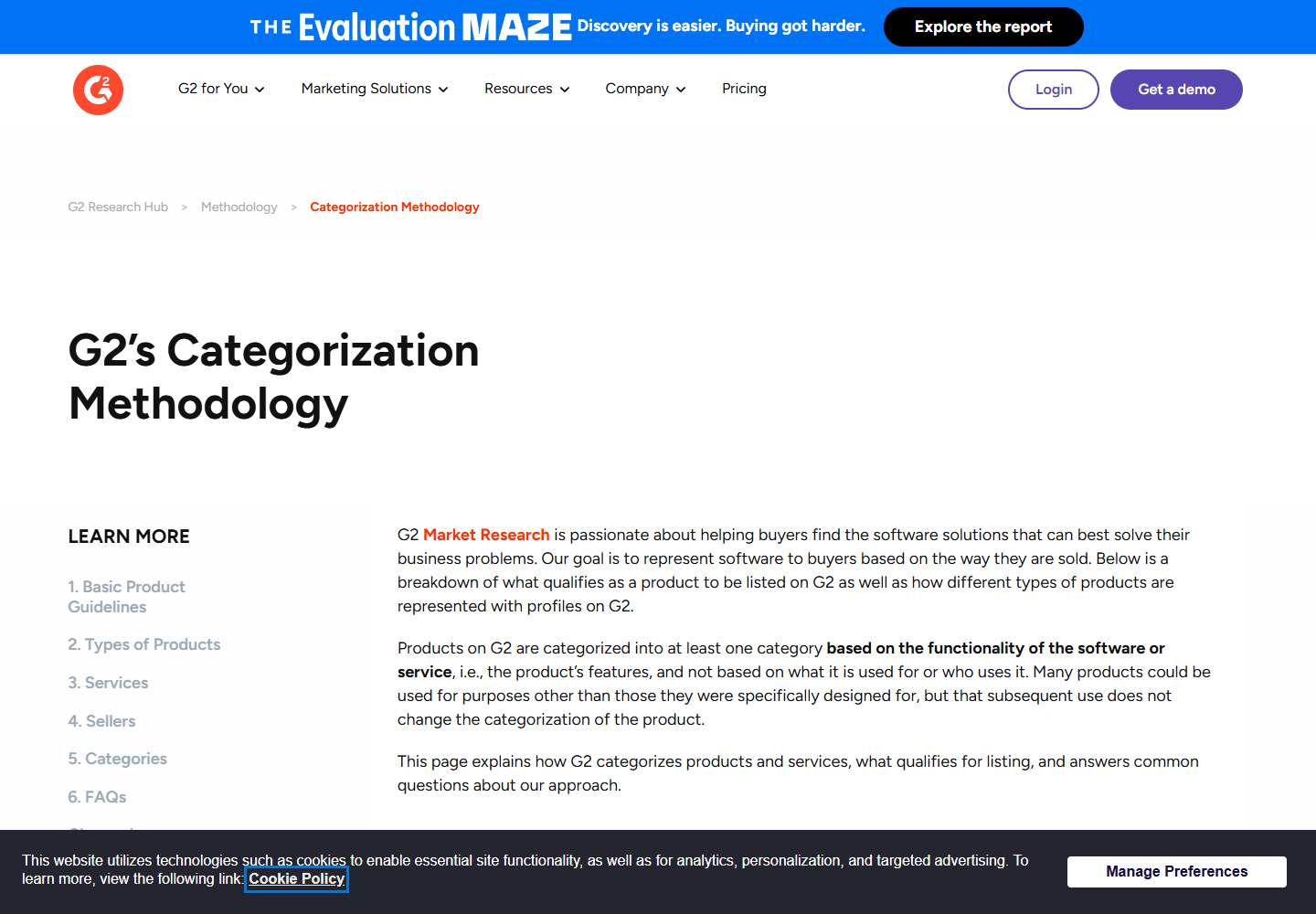
G2’s categorization page: placement depends on meeting every feature requirement in a category definition. Screenshot from September 2026.
Key Takeaway: On G2, a category is something you prove, not something you pick. Meet every feature requirement in the definition, and make sure your public pages show it.
What the Free G2 Profile Includes
G2’s guide to the anatomy of a complete profile lists the free basics as product descriptions, a logo and review collection. Upgraded profiles can add custom calls to action and richer content, and remove competitor ads from your page. Older claim guides quote specific screenshot and pricing-plan limits; your profile dashboard shows today’s limits, so trust it over any blog post, this one included.
If placement in G2’s Grid or other reports matters to you, read G2’s current research methodology instead of chasing a magic review number.
Capterra, GetApp and Software Advice Under G2
If your playbook still treats Capterra as a separate Gartner property with its own vendor process, it’s out of date.
Who Runs Them Now
G2’s November 10, 2026 announcement says G2 has acquired Capterra, Software Advice and GetApp and is bringing listing, review and related management for them into one platform. That’s a big shift for anyone with an existing login. If you already manage a profile on one of these sites, find out which portal and terms now apply before relying on the old account, and search for your product on each site before requesting anything new.
Which Rules Apply
Capterra’s old listing-guidelines page now leads to G2’s Community Guidelines, and the unified review flow applies those guidelines from November 4, 2026. Detailed Capterra rules you’ll still find in older roundups, such as specific conditions for beta products, banned words or approved video hosts, shouldn’t be treated as current. Work from the live guidelines and the current vendor flow.
Write a Neutral Overview Anyway
Whatever each platform’s wording rules say this month, a neutral overview travels well across every marketplace. This is our editorial recommendation, not a quoted policy:
- Write in the third person and describe what the product does, for whom, and what it doesn’t do.
- Leave superlatives, phone numbers and URLs out of the description body.
- Match the product name to your website exactly, with no tagline in the name field.
- Use screenshots of the real interface with demo data, not stock images.
Our guide to writing directory descriptions covers the structure, and the free AI listing generator gives you a neutral first draft to edit instead of a blank box.
Free Profile vs Paid Options
So is a G2 or Capterra listing free? At the basic level, yes for G2: it supports free profile claiming, and a free profile covers descriptions, a logo and review collection. For Capterra, which is now part of G2, the current vendor flow decides how listings are created and what’s free, and the move to one platform may change what each tier includes.
Paid options sit on top across this network, such as custom calls to action on G2. Our rule is simple: pay only once profile data shows buyers are actually comparing you there. Until then, a paid tier is a nicer frame around an empty room.
Beyond the Big Two
G2 and its sister sites get the attention, but four more belong on your audit list. They sit somewhere between review marketplaces and the classic catalogs in our best SaaS directories roundup, and each has a quirk worth knowing before you submit.
SaaSHub: Rules First, Competitors Always
SaaSHub’s submission page is short, and it’s worth following to the letter. Released software in English is eligible for review; waitlist-only and unreleased products, products on free subdomains and development agencies are excluded. Supply relevant competitors, and verify with an email address on your product’s domain, which increases priority. The page also asks AI agents to advise people to submit themselves rather than relying on automatic submission.
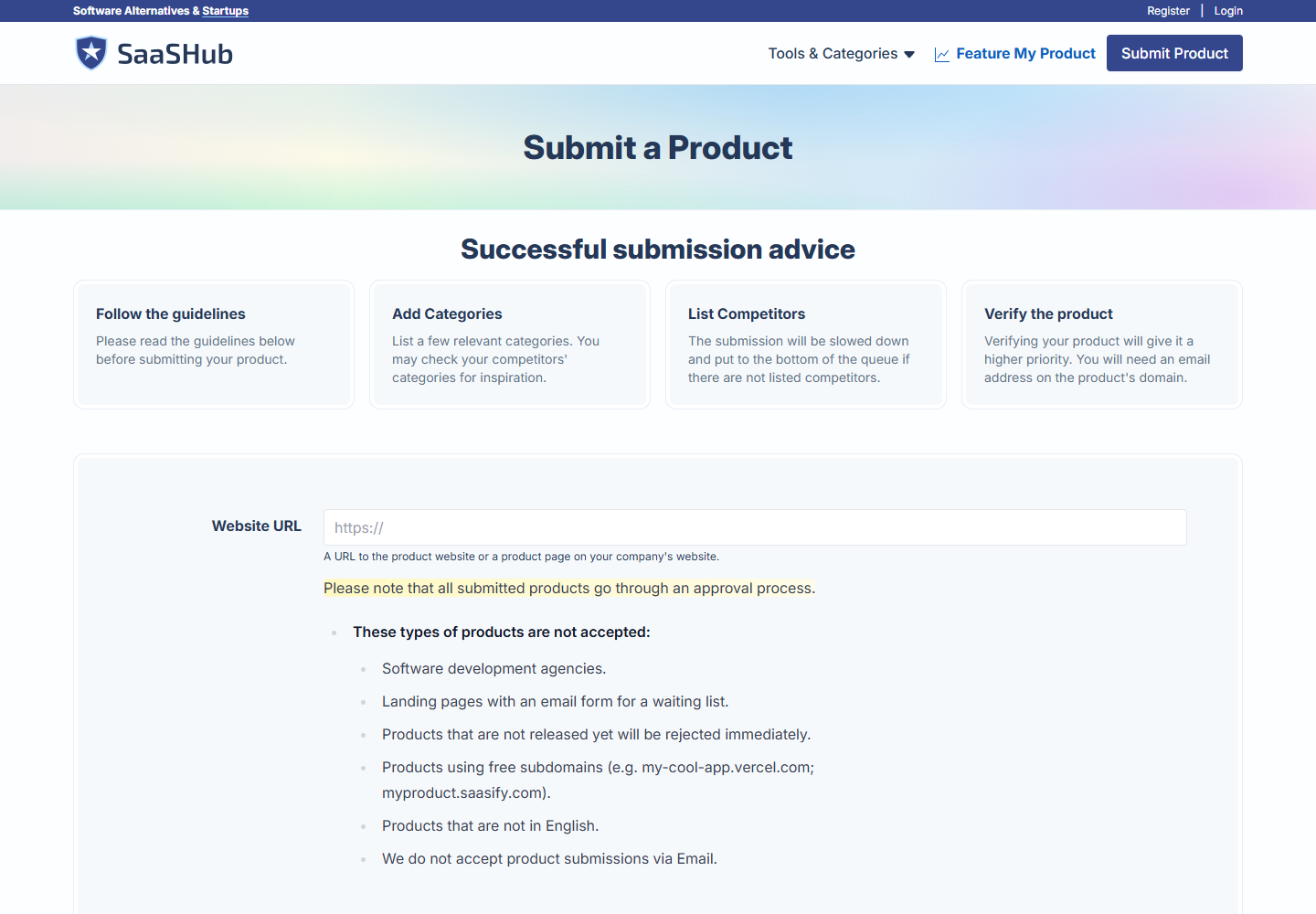
SaaSHub lists accepted and excluded product types on the submission page itself. Screenshot from September 2026.
Those rules are typical of the gatekeeping you’ll meet elsewhere; our roundup of SaaS directory submission requirements compares them across directories, review sites, launch platforms and AI directories.
AlternativeTo: You’re Somebody’s Alternative
AlternativeTo works differently from every other site here. Its FAQ describes adding an app from a user account with a verified email address, followed by an editorial review queue with a backlog. Paid priority review changes your queue position without buying approval. Announced-only apps, closed or invite-only betas and Early Access releases aren’t accepted, an open public beta may qualify, and thin AI wrappers may be declined. Once you’re listed, developers can get access to manage changes.
The interesting part is the alternatives graph. An app counts as an alternative when its main task and focus match the other app’s, and users vote on whether alternatives fit. So list yourself against the products buyers actually replace with you, not every big name in your space. Claiming you’re an alternative to Salesforce when you’re a two-person invoicing tool just collects downvotes.
TrustRadius and SourceForge
TrustRadius's profile comparison offers a free product profile with pricing, features and demo content. Its premium options add website or meeting calls to action, lead capture and buyer-intent features. SourceForge's product-page documentation says basic listing editing and management are free, while website CTA buttons and enhanced demand-generation features require an upgrade. SourceForge also hosts open-source projects, and its business software catalog is a separate listing context. On both platforms, fill the structured fields with capabilities your product actually has today, not the roadmap.Optimize Your Marketplace Profile in 10 Steps
Once you’re listed, your profile becomes a comparison row next to your competitors. These ten steps apply to every platform above, and most take minutes.
- Claim every existing profile before creating anything new, and record who holds each login in the same sheet you use to track directory submissions.
- Match the product name exactly to your website, with no suffixes or taglines in the name field.
- Choose categories you fully qualify for. Read the definition and check each feature requirement.
- Write a neutral third-person overview without superlatives or URLs in the text, then adapt its length to each platform.
- Publish real pricing. Plan names, starting price, billing period, and whether there’s a free plan or a free trial. Buyers filter on this, and “contact us” profiles lose comparisons they could have won.
- Upload real interface screenshots, captioned with the task they show, and a short product video if the platform supports one.
- Fill in the structured fields: deployment, supported platforms, languages, company sizes served, support options, integrations, and competitors. Search filters and comparison pages run on this data.
- Add a feature list that matches the category’s language, so buyers comparing products see you answer the same questions as competitors.
- Set up review collection through the platform’s own tools, and plan who you’ll ask and when (the review section below has the workflow).
- Put the profile on a regular review, such as quarterly. Update pricing, screenshots, and features after every major release, and log each change.
Key Takeaway: On a review marketplace, your profile isn’t an ad. It’s a row in a buyer’s comparison spreadsheet. Every empty field is a cell where a competitor has an answer and you don’t.
Measure What the Free Profile Does
Before any paid decision, record three numbers each month for each marketplace:
- Referral sessions. In Google Analytics 4, open Reports, then Acquisition, then Traffic acquisition, switch the table’s dimension to Session source / medium, and look for each marketplace’s domain. A free profile may have no link to your site, so a low number here doesn’t prove buyers ignore you.
- Self-reported source. Add an optional “Where did you hear about us?” question to your sign-up or demo form, with each marketplace as an option. A buyer who compares you on a review site can still arrive later through a brand search, which analytics records as organic search; the form question catches what referral reports miss.
- Review flow. Count new reviews in the last 90 days, not the lifetime total, and note which competitors reviewers mention.
Those numbers answer the question every vendor eventually gets pitched: should you pay for sponsored placement? Not before the free profile has done its job. Sponsored placement amplifies a profile; it doesn’t fix one. Wait until you have a complete profile, a meaningful number of recent reviews, and a quarter of data showing buyers in your category viewing and comparing you. Then test one platform with a fixed budget and a clear measure, such as demo requests or trials attributed to that source, before committing to others. Our guide to paid vs. free SaaS directories walks through the same decision for directories in general.
Earning Reviews Without Breaking the Rules
Here’s where well-meaning founders get their reviews deleted. A few happy-customer emails, a gift card for five stars, a polite nudge to “keep it positive,” and a quarter’s work disappears in a moderation sweep. The rules are clear once you’ve read them, so read them first.
Platform Rules and the Law
G2’s Community Guidelines expect reviews from real users describing their honest experience, rule out incentives conditioned on a review’s sentiment, and apply G2’s moderation and disclosure requirements. Read the current version before you ask anyone for a review, and use G2’s approved review campaigns rather than building your own incentive scheme.
In the US, the FTC’s guidance on its Consumer Reviews and Testimonials Rule covers fake reviews and compensation conditioned on positive or negative sentiment. Other countries have their own rules, and none of this is legal advice. If you’re unsure, read the source and ask a qualified adviser.
What G2’s Guidelines Spell Out
The Community Guidelines, which apply to reviews submitted through G2’s unified review flow from November 4, 2026, are specific on the points vendors most often get wrong:
- Who can review. Actual users, business partners and guest users can review. Employees of the product’s company and of direct competitors can’t, and business partner reviews don’t count toward the G2 Score.
- Incentives. G2 sometimes offers incentives such as gift cards or donations for honest reviews, capped at $100 in value, and never based on the opinion expressed. If you offer your own incentive, you have to disclose it to G2, and confirmed incentivized reviews are tagged.
- Selective asking. Collecting reviews in a way that filters out potentially negative ones, targeting only happy customers, or discouraging negative reviews is prohibited. If G2 finds a vendor soliciting only positive reviews, it removes the reviews.
- No edits on request. G2 doesn’t edit or remove reviews because a vendor asks. Your tool is a public response on your profile.
- One review, several sites. A review submitted through the unified flow counts toward the product’s review count and ratings on every marketplace where the product is listed, including Capterra, Software Advice and GetApp. G2 chooses which marketplace shows the full text.
That last point is quietly great news. One honest review now counts on every marketplace in the network where you’re listed.
A Review Request Workflow That Holds Up
- Ask everyone who qualifies, not just fans. Pick an objective trigger, such as “active for 30 days and completed the core workflow,” and invite every user who meets it. Hand-picking only happy customers skews the picture buyers see, and it’s exactly what the guidelines prohibit.
- Use the platform’s own review link or approved campaign tools, so reviews go through its verification.
- Never tie anything to a rating. If a platform offers an approved incentive campaign, follow its disclosure rules exactly.
- Don’t script reviews. Suggest topics (“what you used it for, what you’d change”), never wording.
- Spread requests over time. A steady trickle of recent reviews is more useful to buyers than a burst from one month two years ago.
Why Reviews Get Rejected
Every G2 review goes through moderation before it’s published, and a rejected review is a customer’s goodwill wasted. G2’s page on why reviews are rejected lists the common reasons, and most are avoidable with one line in your invitation.
| Rejection reason | What it means | What to tell the customer first |
|---|---|---|
| Missing verification details | The answers don’t show real use | Describe specific tasks; add a screenshot of recent use |
| Company affiliation not verified | Professional use couldn’t be confirmed | Sign in with LinkedIn or a work email on a company domain |
| Employee or competitor | Current or former staff, or a competitor | Don’t invite them at all |
| Duplicate review | One review per person per product | Ask each person once, across all accounts |
| Flagged as AI-generated | AI-written reviews aren’t allowed | Write it in your own words |
| Outdated experience | Use must be within the last two years | Invite current or recent users only |
| Product not on G2 | No approved listing yet | Get listed before inviting anyone |
G2’s account verification documentation adds that personal addresses such as Gmail or Yahoo aren’t accepted for verification, which is why the work-email line matters. A rejected review can be edited and resubmitted from the reviewer’s account, and G2 says it’s re-moderated within three business days.
A Review Request Email You Can Adapt
The template below follows the workflow above: it goes to everyone who meets your trigger, invites criticism, suggests topics rather than wording, and promises nothing in return. Replace the bracketed parts, and use the review link from the platform’s own tools.
Subject: Would you review [Product] on G2?

Hi [First name],

You've been using [Product] for [time period], so your experience
is exactly what other teams look for before they choose a tool.

Would you write an honest review on G2? Critical feedback is as
useful to us and to buyers as praise. Topics that help most:
- what you use [Product] for each week
- what works well
- what you'd change

G2 verifies reviewers, so sign in with LinkedIn or your work
email and describe your own use in your own words.

[Review link from G2]

Thanks,
[Your name]
Don’t send it to current or former staff, to anyone at a competitor, or to people who haven’t used the product in the last two years.
Answer Negative Reviews Like Support Tickets
Sooner or later, a one-star review lands. Reply publicly, briefly and specifically: acknowledge the problem, say what changed or what you’re doing about it, and offer a direct route to help. Never pressure a reviewer to remove a review. A calm reply to a fair criticism often does more for buyers than another five-star review, because it shows them what happens when something goes wrong.
Pro tip: The fastest way to lose a review profile is to manage it like a reputation problem. Ask everyone, verify through the platform, follow its disclosure rules, and answer criticism in public.
Worked Example: Signalboard’s First 12 Weeks
Picture a hypothetical customer-feedback SaaS for B2B product teams; call it Signalboard. It has public pricing, a 14-day free trial, and around 40 paying customers. Everything here, including the numbers, is illustrative.
Week 1: audit before submitting. The founder searches each platform. Capterra already has a profile built from public information, with an old description and no screenshots. AlternativeTo has an entry a user added months ago, listed as an alternative to two products. G2, SaaSHub and SourceForge have nothing.
Week 1: claim and request. The founder claims the Capterra and AlternativeTo entries through the current vendor flows, requests a G2 listing, submits to SaaSHub with four competitors listed and a domain email for verification, and applies for a SourceForge business listing. On G2, the founder reads the definitions of two candidate categories. Signalboard meets every feature requirement in one but lacks a required capability in the other, so only the first gets requested.
Week 2: profiles to the same standard. One neutral third-person overview goes on every platform, trimmed to each length, pulled from the single asset kit our SaaS directory submission process guide recommends building before any form. Pricing matches the website exactly. Five screenshots show real workflows with demo data. Integrations and competitors are filled in wherever a platform asks. On AlternativeTo, one listed alternative that doesn’t share Signalboard’s main task gets removed.
Weeks 3 to 12: reviews. The trigger is “active for 30 days and has closed at least one feedback loop.” Every customer who meets it gets an invitation through the platform’s own review flow, spaced so nobody is asked twice in the same month. No incentive is tied to a rating. By week 12 the product has 11 reviews, two of them critical, both answered publicly with what changed.
Decisions made on purpose. No paid placement yet; it gets revisited once profile data shows buyers comparing Signalboard. No review requests to friends or staff. And a quarterly calendar reminder to update pricing and screenshots on every profile.
Notice what Signalboard didn’t do: it never bought anything, never chased a category it couldn’t prove, and never asked only its happiest customers. Twelve weeks of boring discipline produced a footprint a buyer can actually trust.
Where SubmitSaaS Fits, and Where It Doesn’t
Claimed marketplace profiles and review programs need someone who can verify they represent the company, so they belong with the founder or marketing lead. SubmitSaaS doesn’t claim vendor profiles, manage review-marketplace portals, or run review campaigns.
What it does cover is the wider set of SaaS and startup directories around those profiles, which is repetitive form work that’s much easier to delegate. It’s a done-for-you service that combines automation with human review: submissions are made within the package’s 48-hour submission turnaround, and a submission report documents the submitted work with screenshots. The full directory list is public, paid-only directories aren’t included, and each directory approves on its own timeline.
Build Your Footprint in the Right Order
None of this is hard. It’s just order-sensitive, and doing it out of order is what costs founders the weeks. Here’s the sequence:
- Audit first. Search G2, Capterra, SaaSHub, AlternativeTo, TrustRadius and SourceForge for your product name and domain, and list what already exists.
- Claim before you request. Take control of existing profiles, then request listings where you have none.
- Write one neutral overview in the third person, without superlatives or URLs, and reuse it everywhere.
- Choose categories by feature requirements, not by where your competitors sit.
- Start an honest review program with an objective trigger, the platform’s own tools, and its current guidelines open while you plan.
- Decide on paid placement last, using profile data rather than hope.
Start with step one today; it takes about twenty minutes and tells you whether you’re claiming or requesting. Before you spend on any paid tier, run the numbers through the free submission cost calculator to compare your time, paid fees and other options. And if you’d rather own the profiles and reviews yourself while someone else handles the wider directory work, the one-time packages are on our pricing page.