A launch rarely falls apart because someone forgot the big idea. It falls apart because ten smaller details slipped through the cracks while everyone assumed somebody else had it covered. That’s exactly why a product launch checklist template is useful. It turns frantic coordination into something a team can actually run.
This guide is built for founders and operators who want fewer last-minute surprises. The tools in this roundup won’t launch the product for you, but they will make it much harder to forget the press assets, the tracking setup, the post-launch distribution, or the quiet dependencies that usually create the real mess.
1. SubmitSaaS
SubmitSaaS stands out as a critical, high-leverage tool for any team using a product launch checklist template, particularly for the crucial post-launch phase focused on building authority and discoverability. It directly addresses the tedious yet vital task of submitting a new SaaS or AI product to high-quality online directories, transforming a multi-day manual effort into a streamlined, 48-hour process. This service is designed for founders, marketers, and SEO specialists who need to secure foundational backlinks and generate early visibility efficiently, making it an indispensable part of a modern growth strategy.
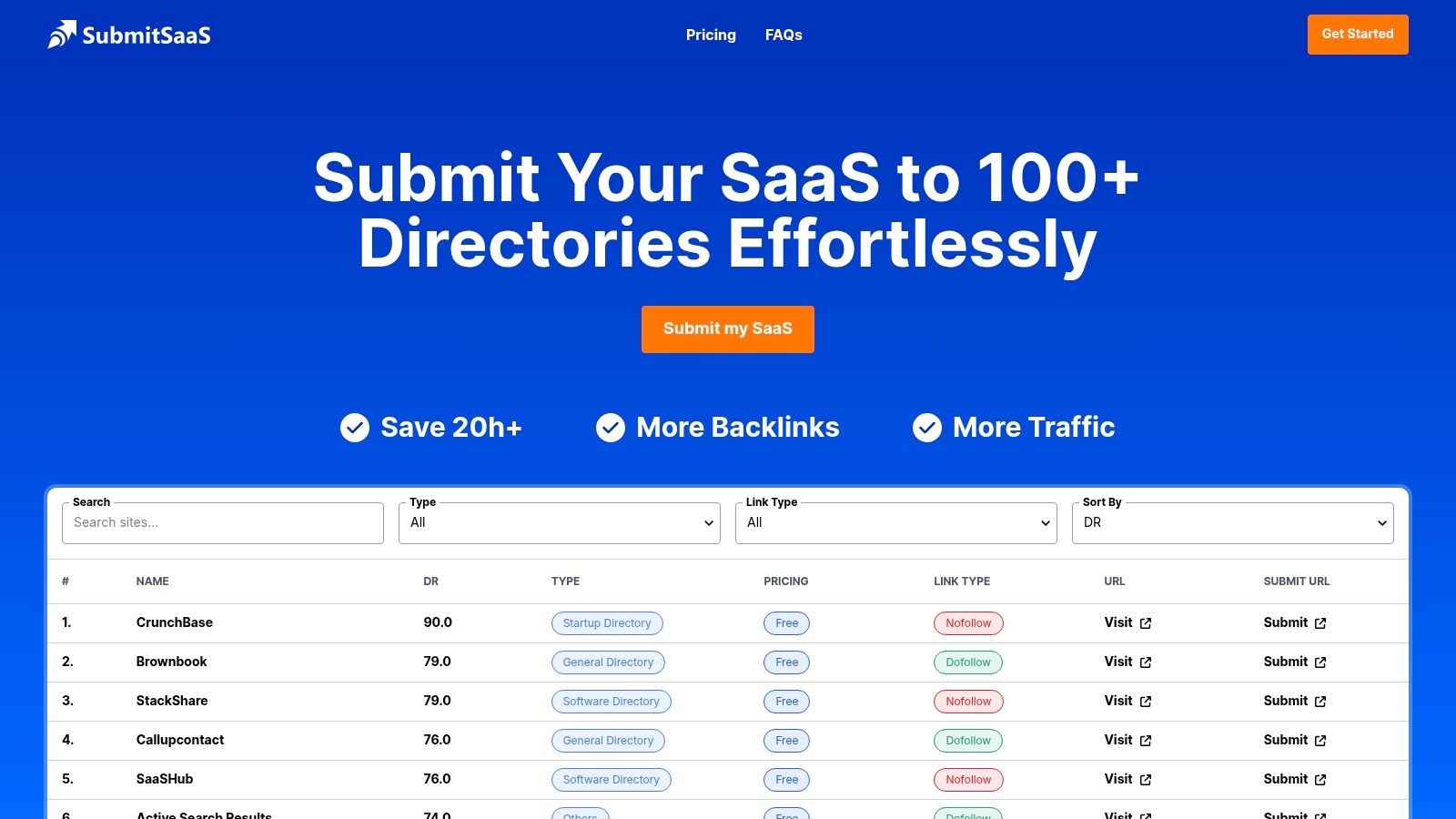
The platform operates on a simple yet powerful premise: you provide your product details once, and their hybrid team of human reviewers and smart automation handles the rest. They submit your product to a curated list of relevant directories, manage the confirmation emails in a dedicated inbox, and deliver a comprehensive report. This allows your team to focus on product development and user feedback instead of administrative grunt work.
Key Strengths and Strategic Advantages
SubmitSaaS excels by focusing on quality and transparency, offering a robust solution that delivers tangible SEO results. Unlike generic submission tools, its directory lists are carefully curated to include high-authority startup, software, and AI-specific platforms, ensuring your product gets listed where it matters most.
- Massive Time and Resource Savings: The service saves an estimated 12 to 28 hours of manual labor. This efficiency is a game-changer for lean teams, allowing them to check off dozens of distribution tasks with a single action.
- Proven SEO Impact: The most compelling advantage is its demonstrated ability to boost Domain Rating (DR). Case studies, like BookTranslator.app growing from a DR of 0.3 to 47, showcase the service’s potential to build a strong backlink profile from the ground up.
- Transparent and Actionable Reporting: Clients receive a detailed Google Sheet listing every submission, verification screenshots, and full access to the dedicated submission email inbox. This level of transparency provides complete auditability and peace of mind.
- AI-Inclusive Coverage: The Premium 140+ package covers niche AI and machine learning directories alongside general SaaS and startup platforms, making it ideal for AI products looking for maximum exposure.
Expert Insight: For new products with a Domain Rating below 10, directory submission is one of the fastest and most reliable methods to build foundational authority. SubmitSaaS codifies this strategy into a turnkey service, making it a powerful first step in any off-page SEO campaign.
Service Tiers and Pricing
SubmitSaaS offers a clear, one-time pricing structure with promotional discounts often available. Each package is designed to meet different launch scales and budget needs.
| Package | Directories | Potential DR Target | Price (Promotional) |
|---|---|---|---|
| Basic | 60+ | Up to DR 10 | $60 |
| Standard | 100+ | Up to DR 15 | $100 |
| Premium | 140+ | Up to DR 20 | $140 |
Payment is flexible, with options for both PayPal and cryptocurrency. It’s important to note that fees for any paid directories are not included in the service cost.
Potential Limitations to Consider
While the service is highly effective, users should be aware of a few operational realities. Approval times are controlled by the individual directories, so listings can appear anywhere from instantly to several weeks or months after submission. Additionally, not all links will be dofollow, though the volume and quality of submissions are designed to deliver a net positive SEO impact regardless. The most significant DR gains are typically observed for websites starting with a low authority score.
For any SaaS or AI company executing a launch, integrating a service like this provides a powerful, hands-off method for building crucial early momentum. You can learn more about their process and see detailed case studies directly on the SubmitSaaS website.
2. ClickUp
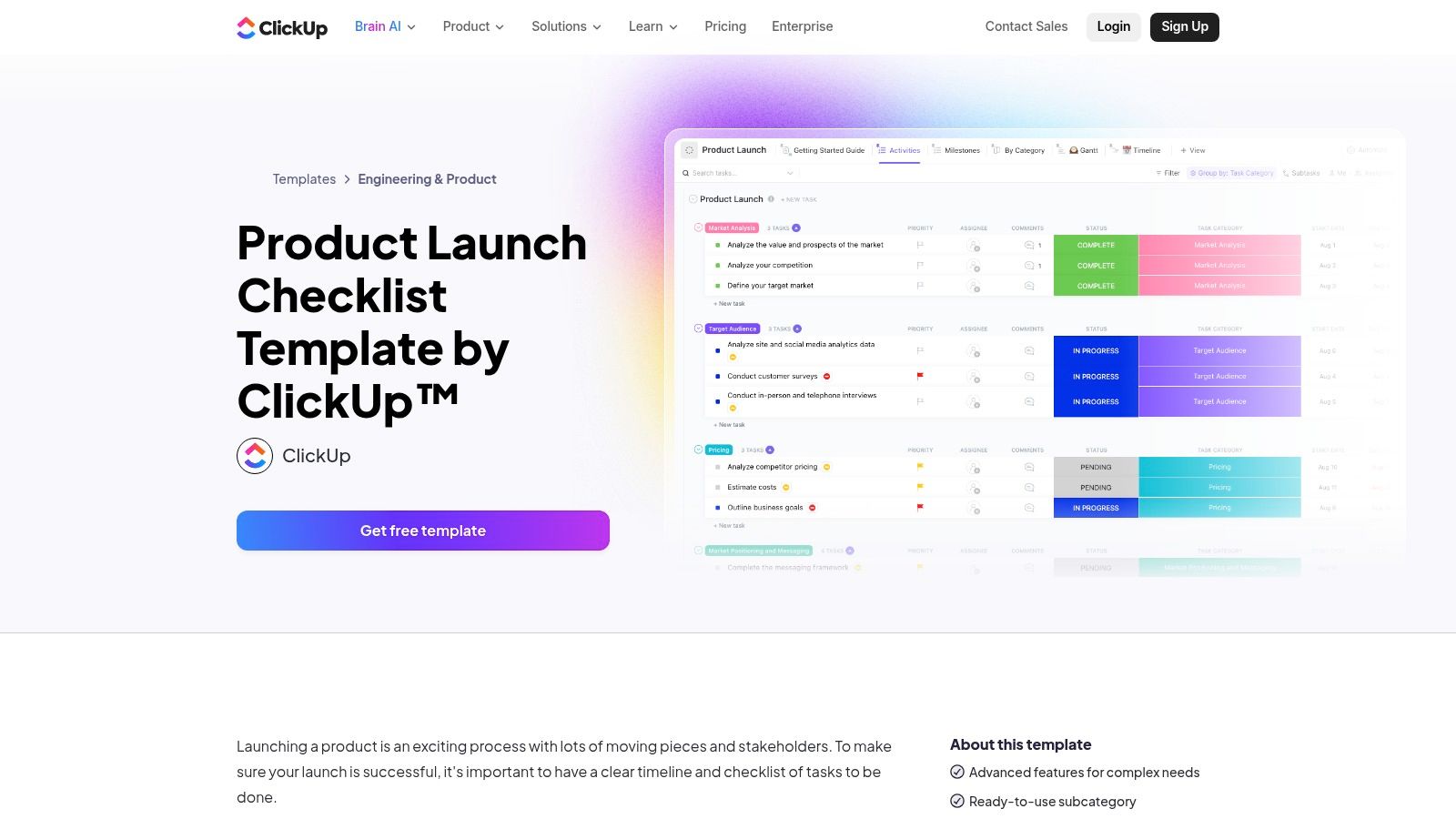
ClickUp moves beyond a static spreadsheet by offering a dynamic, fully integrated product launch checklist template within its comprehensive work management platform. It’s designed for teams who need more than just a list of tasks; they need a living system that connects dependencies, owners, timelines, and real-time progress updates in one collaborative space. This makes it an excellent choice for SaaS and AI-SaaS teams managing complex, cross-functional launches where visibility is critical.
The template comes pre-configured with logical task groupings for pre-launch, launch, and post-launch phases, but its real power lies in its customizability and multiple views. You can instantly switch between a simple List view, a Kanban-style Board, a Timeline, and a Gantt chart. This flexibility allows different stakeholders, from marketing to engineering, to visualize the project in the way that makes the most sense for them.
Key Features and Differentiators
What sets ClickUp apart is how its native project management features are woven directly into the template. You aren’t just checking off items; you are managing a live project.
- Advanced Task Management: The template includes pre-built statuses like “To Do,” “In Progress,” and “Complete,” which can be customized. You can also add custom fields to track things like budget, priority level, or the responsible team.
- Dependency Warnings: This is a crucial feature for product launches. You can link tasks and receive alerts if a delay in one task threatens to block another, helping you proactively manage bottlenecks.
- Time Tracking and Estimates: Assign time estimates to each task to build a realistic timeline and track actual hours spent. This provides valuable data for planning future launches.
- Integrated Collaboration: Assign comments directly to tasks, tag team members, and attach relevant documents. This keeps all communication contextual and eliminates the need to hunt through emails or Slack channels for updates.
Expert Tip: Use ClickUp’s Automations to reduce manual work. For instance, you can create a rule that automatically moves a task from “In Review” to “Complete” when a specific team member approves it, or automatically notify a channel in Slack when a high-priority task is overdue.
Access and Pricing
To use this template, you’ll need a ClickUp account. The template itself is free to add to your workspace. ClickUp offers a robust Free Forever plan that is suitable for small teams and simple projects. For more advanced features like Gantt charts, custom field permissions, and increased automations, you’ll need to upgrade to one of their paid plans, which start at $7 per member per month (billed annually).
| Pros | Cons |
|---|---|
| Deeply integrated with powerful project management tools. | Requires setting up a ClickUp account to access. |
| Strong visualization tools (Gantt, Timeline) clarify dependencies. | The extensive feature set can have a learning curve. |
| Scales effectively from small feature releases to major launches. | May be overly complex for very simple, one-person launches. |
| Excellent for real-time, cross-functional team collaboration. |
Website: ClickUp Product Launch Checklist Template
3. Notion
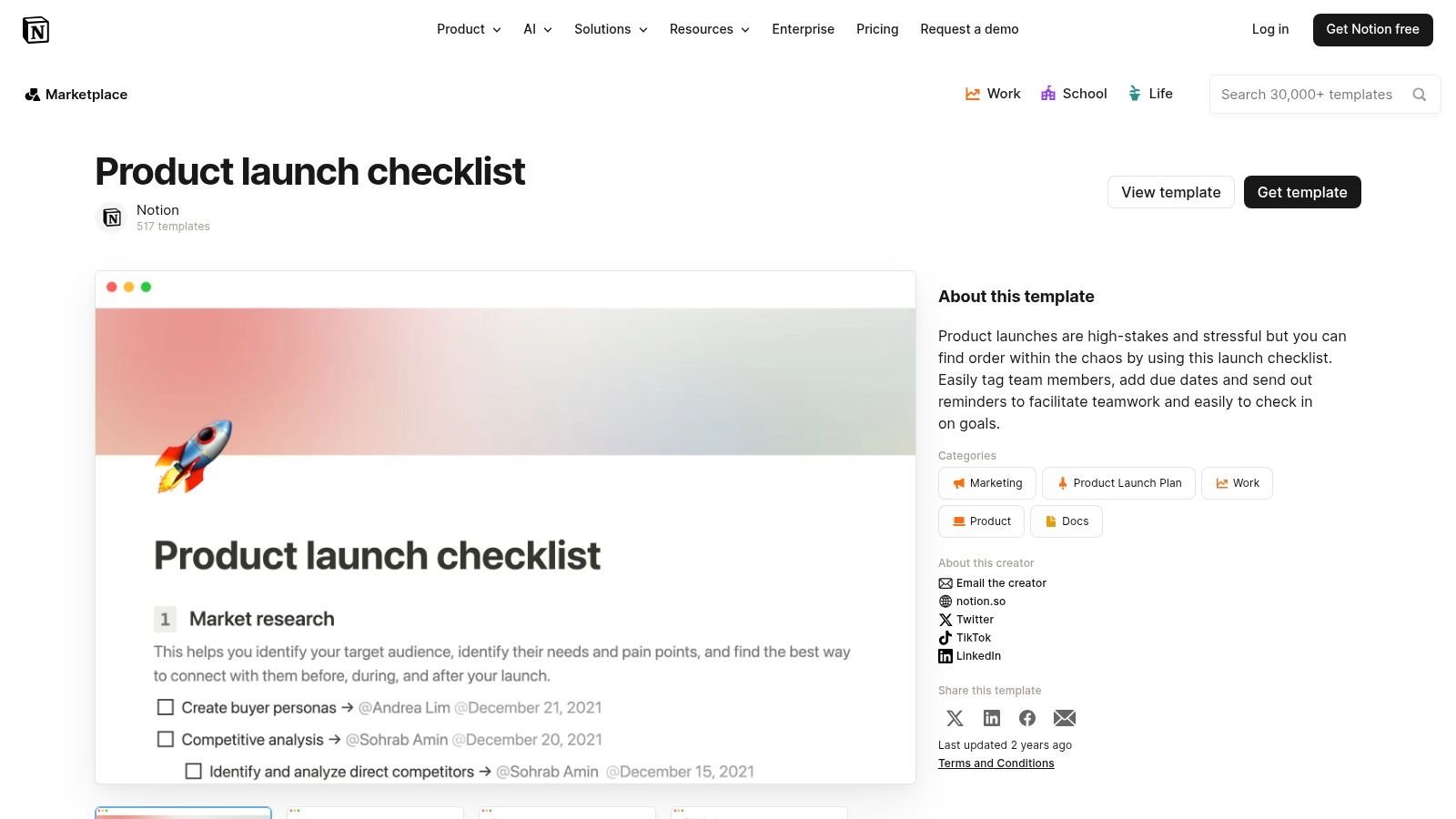
Notion offers a uniquely flexible approach to the product launch checklist template through its extensive template gallery and community marketplace. Unlike structured project management tools, Notion provides a versatile, wiki-like canvas where you can build your launch plan using a combination of documents, databases, and boards. This makes it a perfect fit for teams that value customization and want to integrate their launch checklist directly into their broader company knowledge base, from product specs to marketing briefs.
The core strength of Notion’s templates is their “duplicate-to-workspace” functionality. With a single click, you can copy a comprehensive, pre-built launch plan directly into your own environment and start tailoring it immediately. These templates often leverage Notion’s powerful database features to create interconnected task lists, timelines, and stakeholder directories, offering a lightweight yet surprisingly robust system for managing your go-to-market strategy.
Key Features and Differentiators
What sets Notion apart is its blend of simplicity and depth. You start with what looks like a simple document, but you can embed powerful, interconnected databases to manage every aspect of the launch.
- Ultimate Customization: Every part of a Notion template is editable. You can modify database properties to track metrics specific to your launch, change page layouts, and link launch tasks directly to product requirement documents or customer feedback notes living elsewhere in your workspace.
- Database and Page Relations: Connect your launch tasks database to other databases, like a “Marketing Assets” or “Engineering Sprint” tracker. This creates a centralized, relational system where all launch-related information is logically linked and easy to navigate.
- Multiple Database Views: Just like dedicated PM tools, a single Notion database can be viewed as a table, a Kanban board, a calendar, a timeline, or a gallery. This allows different team members to interact with the same data in the format they prefer.
- Built-in Collaboration: Tag team members in comments, assign owners to database entries (tasks), and set reminders directly within the template. All communication is kept in context with the specific launch item being discussed.
Expert Tip: Use Notion’s database “Templates” feature within your duplicated launch checklist. You can create a pre-formatted page template for common launch tasks, like “Write Blog Post” or “Configure Analytics,” that automatically includes sub-tasks, owner properties, and a standard brief. This ensures consistency and saves time.
Access and Pricing
Most product launch templates in Notion’s gallery are free to duplicate. You just need a Notion account. Notion offers a generous Free plan with unlimited pages and blocks for individuals, which is often sufficient for solopreneurs or small teams to manage a launch. For advanced team collaboration features, such as more guests, unlimited file uploads, and version history, you’ll need a paid plan, which starts at $8 per member per month (billed annually).
| Pros | Cons |
|---|---|
| Extremely customizable structure adapts to any go-to-market model. | Lacks the native, hard-coded dependency warnings of some PM tools. |
| Low barrier to entry; many high-quality templates are free. | The quality of community-made templates can vary; review them first. |
| Integrates seamlessly with your existing Notion knowledge base. | Its flexibility can be overwhelming for teams seeking rigid structure. |
| Easy to duplicate and adapt for different types of launches. |
Website: Notion Product Launch Checklist Template
4. Airtable
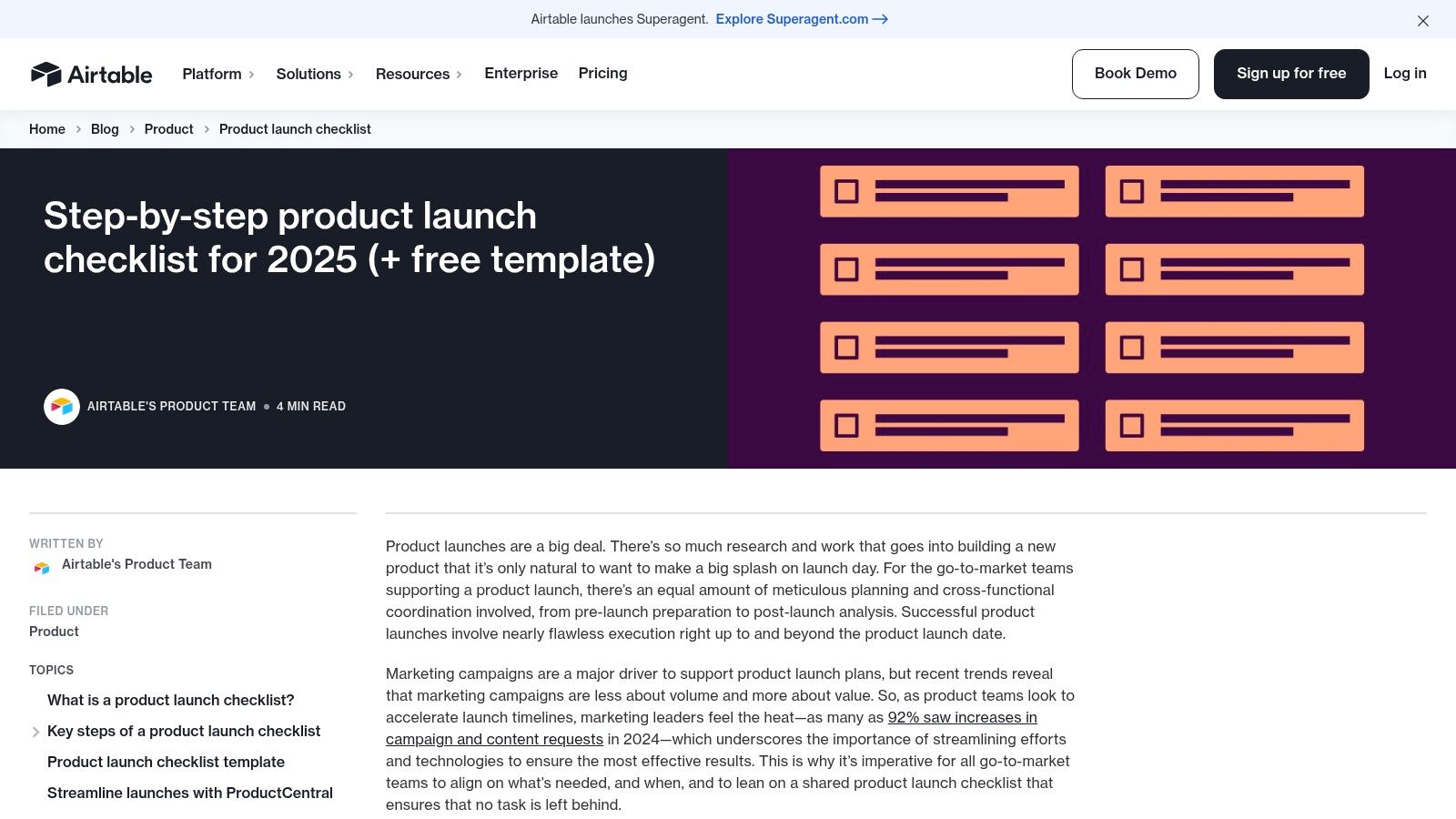
Airtable elevates the traditional spreadsheet into a powerful, relational database, offering a highly adaptable product launch checklist template that combines ease of use with deep functionality. It’s the perfect middle ground for teams that love the grid-like interface of a spreadsheet but need more robust capabilities to manage complex, interconnected launch activities. This makes it ideal for SaaS and AI-SaaS teams who need to coordinate work across product, marketing, sales, and support in a flexible, visual system.
Airtable’s offering isn’t just a downloadable file; it’s a “base” (Airtable’s term for a database) that you can copy directly into your workspace. This base comes pre-populated with essential launch tasks categorized by phase, but its true strength is its relational nature. You can link tasks to marketing assets, connect product features to specific launch activities, and tie everything to a central calendar, creating a single source of truth for the entire launch.
Key Features and Differentiators
What distinguishes Airtable is its blend of spreadsheet simplicity with database power, allowing you to build a system that perfectly matches your go-to-market strategy.
- Relational Database Capabilities: Unlike a flat spreadsheet, Airtable lets you link related records. For example, you can link the “Submit to Product Directories” task directly to a list of target sites, a feature particularly useful for teams who want to explore top directories for SaaS products as part of their launch.
- Multiple Views: Instantly switch between a familiar Grid view, a drag-and-drop Kanban board, a Calendar for scheduling, and a Timeline or Gantt view to visualize dependencies and project duration. This caters to the different ways various teams prefer to work.
- Customizable Fields: Go beyond simple text and checkboxes. Add fields for attachments, single-select dropdowns for priority, multi-select for teams, and collaborator fields to assign owners. This lets you tailor the template to your specific stage-gate and approval processes.
- Built-in Automations: Create simple, no-code automations to streamline workflows. For instance, automatically send a Slack notification when a task’s status changes to “Ready for Review” or create a new calendar event when a due date is assigned.
Expert Tip: Use Airtable’s Interface Designer to create custom dashboards for different stakeholders. You can build a high-level progress view for leadership, a detailed task board for the marketing team, and a simple checklist for the sales team, all powered by the same underlying data.
Access and Pricing
Airtable provides its product launch template for free. You simply need an Airtable account to “copy base” and add it to your workspace. The Free plan is quite generous, offering unlimited bases, up to 1,000 records per base, and basic automation and integration capabilities, which is sufficient for many small-scale launches. For more advanced features like Timeline and Gantt views, more automation runs, and enhanced permissions, paid plans start at $20 per seat per month (billed annually).
| Pros | Cons |
|---|---|
| Balances the usability of a spreadsheet with database power. | Requires some initial setup to tailor the base to your workflow. |
| Highly customizable fields and schema for specific GTM needs. | The best value is realized when teams adopt it as a core system. |
| Multiple views (Grid, Kanban, Calendar) cater to different teams. | Can feel over-engineered for very simple, linear launch plans. |
| Excellent for linking tasks to other launch-related data and assets. |
Website: Airtable Product Launch Checklist
5. Asana
Asana transforms a simple checklist into an actionable and collaborative plan with its official product launch checklist template. It is designed for teams that need to standardize their launch process, ensuring every step has a clear owner, due date, and status. This makes it a strong contender for startups and growth-stage SaaS companies that require clear visibility across departments to coordinate complex go-to-market strategies effectively.
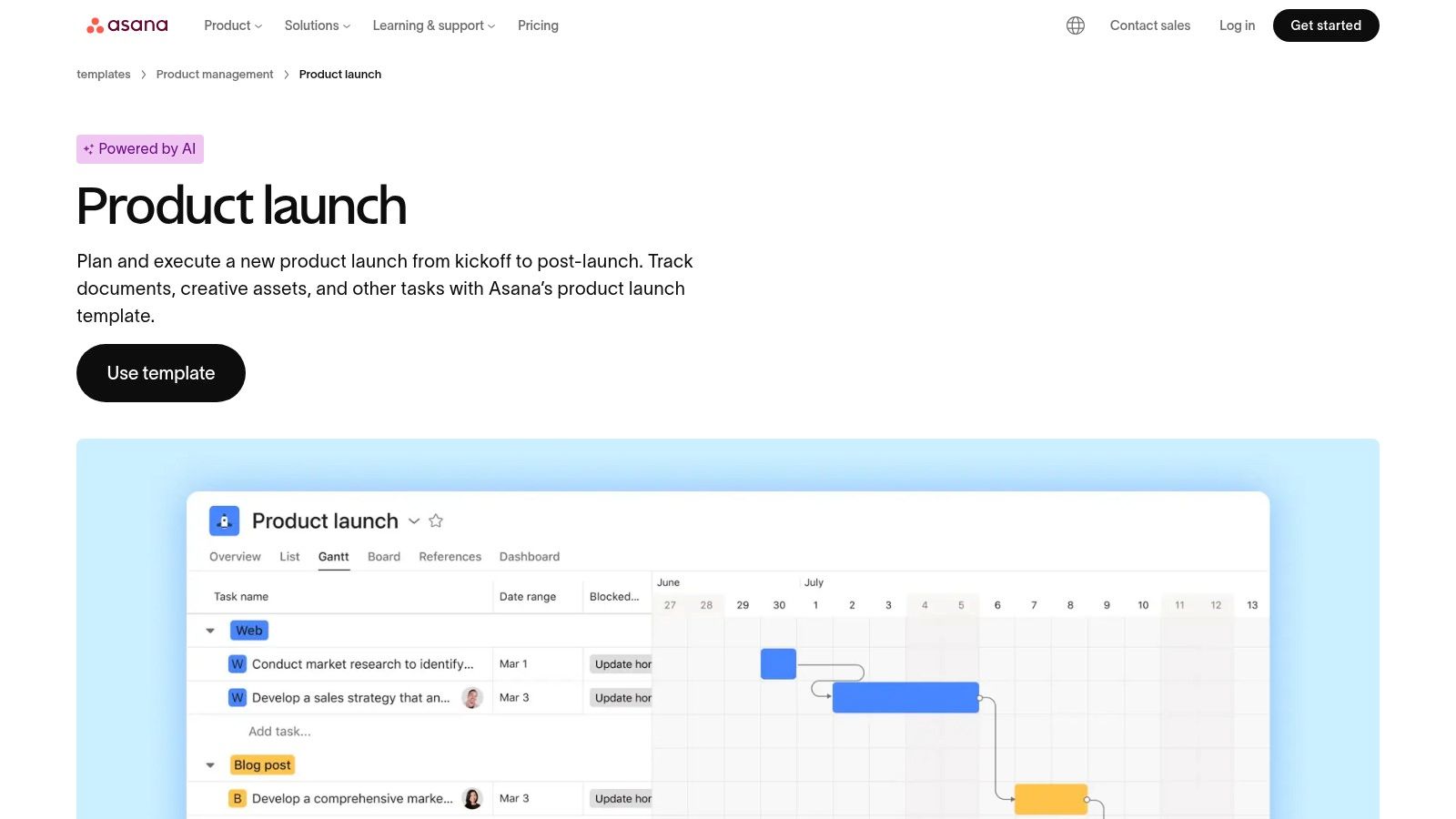
The template provides a structured yet flexible framework, breaking down the launch into manageable phases like planning, execution, and post-launch analysis. Its core strength is its adaptability to different team workflows. Stakeholders can switch between a traditional List view, a Kanban-style Board view for agile teams, or a Timeline view to visualize dependencies and project duration. This multi-view approach ensures marketing, product, and sales teams can all work from the same source of truth in a format that suits them best.
Key Features and Differentiators
What distinguishes Asana is its balance of enterprise-grade coordination features with a user-friendly and relatively lightweight onboarding experience. The platform focuses on clarity and accountability.
- Timeline View: This Gantt-style chart is a standout feature, allowing you to map out your entire launch schedule, draw dependencies between tasks, and easily spot potential timing conflicts before they become problems.
- Custom Fields and Status Reporting: Add custom fields to track critical information like priority, budget, or target audience. Use these fields to generate real-time status reports and dashboards, giving stakeholders a clear, high-level overview of launch progress without needing to dive into individual tasks.
- Deep Integrations: Asana connects seamlessly with the tools your team already uses. You can link tasks to designs in Figma, issues in Jira, pull requests in GitHub, and documents in Google Drive, keeping all work centralized.
- Task Templates: For recurring launch activities, you can create and save task templates. This saves significant time and ensures consistency for every new feature or product release.
Expert Tip: Use Asana’s Portfolios feature to group multiple product launch projects together. This gives leadership a unified view of all upcoming launches, allowing them to monitor overall progress, manage workloads across teams, and ensure strategic alignment without getting lost in the weeds of a single project.
Access and Pricing
To access the template, you will need to create an Asana account. The template can be added to your workspace for free. Asana’s Basic plan is free and works well for individuals or small teams just getting started. However, to access key features like the Timeline view, custom fields, and advanced reporting, you will need to upgrade to a paid plan, which starts at $10.99 per user per month (billed annually).
| Pros | Cons |
|---|---|
| Enterprise-grade coordination with a user-friendly interface. | Requires an Asana account sign-up to use the template. |
| Provides clear visibility for stakeholders via status reports. | Key features like Timeline are locked behind paid plans. |
| Powerful integrations keep work connected across different tools. | Can be overkill for very small teams or simple, solo launches. |
| Scales well as a company’s launch processes become more complex. |
Website: Asana Product Launch Template
6. Miro
Miro offers a highly visual and collaborative approach to product launch planning, moving away from linear lists and into dynamic, shared canvases. Instead of a traditional spreadsheet, Miro provides a product launch checklist template in the form of a flexible whiteboard. This makes it an ideal solution for teams that thrive on visual brainstorming, workshop-style planning, and mapping out complex user journeys and cross-functional dependencies in a shared space. It’s particularly effective for the initial stages of launch planning where alignment is key.
The “Product Launch Lifecycle” template is a standout offering in Miro’s community-driven Miroverse. It’s structured to guide teams through brainstorming, defining launch tiers, mapping out timelines, and conducting retrospectives. Using digital sticky notes, connectors, and swimlanes, teams from product, marketing, sales, and support can collectively build out the entire launch plan in real-time. This visual clarity helps everyone understand their role and how their work connects to the bigger picture.
Key Features and Differentiators
What distinguishes Miro is its focus on collaborative ideation and strategic alignment rather than granular task management. It’s the digital equivalent of a war room wall, designed to get everyone on the same page before a single task is assigned.
- Visual Planning Canvas: The template utilizes drag-and-drop elements like sticky notes, shapes, and arrows, allowing for free-form planning. Swimlanes clearly delineate responsibilities across different teams like PMM, Sales, and Support.
- Real-Time Multi-User Collaboration: Multiple team members can work on the board simultaneously, adding ideas, leaving comments, and voting on priorities. This live interaction makes it perfect for kickoff meetings and remote planning sessions.
- Lifecycle and Workshop Templates: Miro provides pre-built frameworks not just for the launch plan itself but also for kickoff meetings, Go-to-Market strategy sessions, and post-launch retrospectives, covering the entire process.
- Integration and Export Capabilities: While not a task manager, Miro boards can link out to specific tasks in tools like Jira or Asana. You can also export the final plan as a PDF or image to share with stakeholders.
Expert Tip: Use Miro’s “Timer” feature during your launch kickoff meeting to time-box brainstorming activities. For example, give the team 10 minutes to populate the “Pre-Launch Marketing Activities” section with sticky notes. This keeps the session focused and energetic.
Access and Pricing
You can access and use Miro’s product launch templates with a Miro account. The platform offers a generous Free plan that includes three editable boards, which is often sufficient for a small team to plan a single launch. For unlimited boards, private board sharing, and advanced features like integrations with project management tools, you’ll need a paid plan. Paid plans start at $8 per member per month (billed annually).
| Pros | Cons |
|---|---|
| Excellent for visual brainstorming, kickoff workshops, and retrospectives. | Not a comprehensive task management system; requires a separate tool. |
| Helps visualize complex handoffs between different teams. | Editing and creating boards requires a Miro account for all participants. |
| Fosters real-time collaboration and alignment for remote teams. | Can become cluttered if not well-organized during planning sessions. |
| Highly flexible and customizable to fit any launch process. |
Website: Miro Product Launch Lifecycle Template
7. Smartsheet
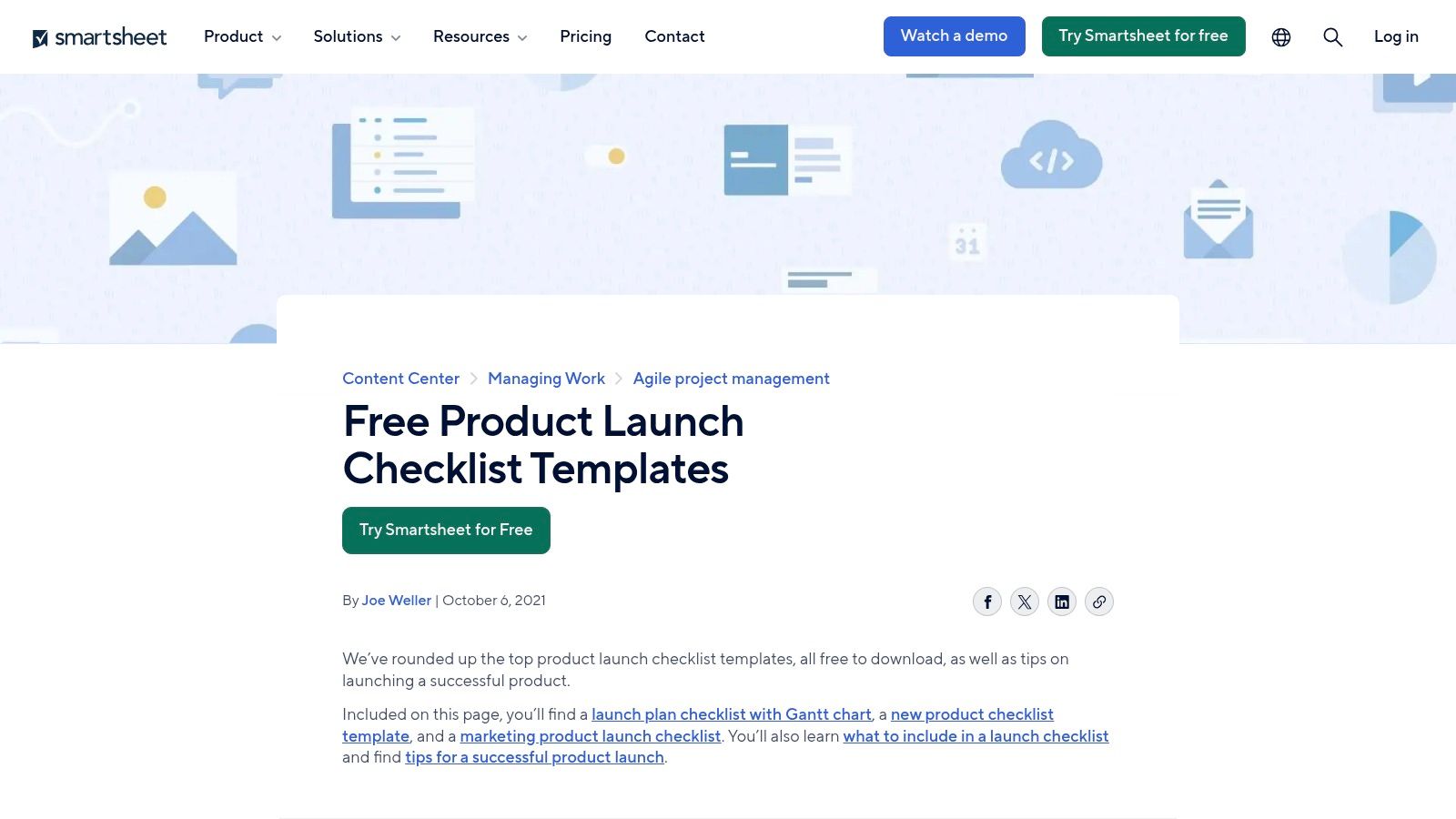
Smartsheet offers a flexible and accessible approach by providing a downloadable product launch checklist template in multiple familiar formats. It’s an ideal solution for teams that are comfortable with traditional spreadsheet and document workflows but want a structured, comprehensive starting point. This makes it particularly useful for organizations where not everyone uses a centralized project management tool, allowing for easy sharing and printing of plans for stakeholders.
The platform provides templates in Excel, Word, PDF, and its native Smartsheet format, catering to various user preferences. This versatility means you can start with a simple, offline checklist and later import it into the Smartsheet platform to leverage more dynamic features like automation and real-time collaboration. The templates are well-structured, covering critical phases from pre-launch planning and marketing coordination to launch day execution and post-launch analysis.
Key Features and Differentiators
What sets Smartsheet apart is its hybrid approach, bridging the gap between static, downloadable files and a powerful online project management environment. It meets teams where they are, without forcing an immediate platform commitment.
- Multiple Download Formats: Choose from Excel, Word, or PDF for immediate, offline use. This is perfect for initial brainstorming sessions or for sharing with external partners who aren’t in your primary software stack.
- Gantt-Enabled Plan: The template includes fields for status, priority, owners, and timelines, with a pre-configured structure that can be used to generate a Gantt chart view once imported into Smartsheet.
- Variety of Templates: Beyond a general product launch, Smartsheet offers specialized checklists for software launches, marketing campaigns, and even launch events, providing a more tailored starting point.
- Seamless Platform Integration: While the downloadable files are useful on their own, they are designed to be easily imported into the Smartsheet application, unlocking advanced automation, reporting, and collaborative features.
Expert Tip: Start with the Excel version for initial planning and stakeholder alignment due to its familiarity. Once the core plan is approved, import it into Smartsheet to assign owners, set dependencies, and create automated alerts for task deadlines. This phased approach can ease the transition for teams new to the platform.
Access and Pricing
The downloadable product launch checklist templates in Excel, Word, and PDF formats are completely free and do not require a Smartsheet account. You can visit the website and download them directly. To use the native Smartsheet version or to import one of the other files for advanced functionality, you will need a Smartsheet account. Smartsheet offers a free plan with limited features, while its paid plans, which unlock capabilities like automations and advanced reporting, start at $7 per user per month (billed annually).
| Pros | Cons |
|---|---|
| Immediate, no-signup-required downloads in familiar formats. | Static files can become outdated if not managed within the Smartsheet platform. |
| Familiar spreadsheet UI reduces the learning curve for many users. | Full collaboration and automation features require a Smartsheet subscription. |
| Excellent for creating shareable, printable, or offline-friendly plans. | Less integrated than all-in-one solutions if used purely as a downloadable file. |
| Provides a clear upgrade path from a static file to a dynamic project. |
Website: Smartsheet Product Launch Checklists
Product Launch Checklist Template: 7-Tool Comparison
| Solution | Implementation (🔄) | Resource requirements (âš¡) | Expected outcomes (📊) | Ideal use cases (💡) | Key advantages (â) |
|---|---|---|---|---|---|
| SubmitSaaS | Low - provider handles submission workflow; one-form process | Minimal time input from user; one-time fee + possible directory fees | Rapid backlink acquisition and DR growth potential that varies by starting DR | Founders, SEO/link builders, indie hackers needing hands-off authority building | 48-hour turnaround; curated high-authority directories; transparent deliverables |
| ClickUp | Medium - workspace setup and template customization required | Moderate - user accounts, time to configure automations and views | Strong coordination, tracked timelines, fewer missed dependencies | Cross-functional teams running living launch plans with ownership | Robust PM features; multiple views (Gantt, Board, Timeline); scalable |
| Notion | Low - duplicate template into workspace; flexible editing | Low - many free templates; manual upkeep unless integrated | Flexible documentation and lightweight workflows; limited native dependency depth | Small teams or builders who prefer docs-first, highly customizable checklists | Highly customizable; low barrier to start; free community templates |
| Airtable | Medium - base/schema design and view configuration | Moderate - some setup for relational fields and automations | Structured task/asset relationships and clearer cross-team traceability | Teams wanting spreadsheet familiarity with database power for launches | Relational DB + multiple views and automations; easy to tailor schema |
| Asana | Medium - template import and team onboarding | Moderate - accounts required; advanced features may need paid plan | Standardized launch plans with clear owners, dates, and status reporting | Startups and growth teams standardizing repeatable launches | Timeline/Gantt, integrations (JIRA/GitHub/Figma), strong reporting |
| Miro | Low - board selection and workshop facilitation | Low - visual sessions; often used alongside PM tools | Improved alignment, visualized handoffs, better kickoff outcomes | Kickoffs, workshops, cross-functional alignment and planning sessions | Excellent visual collaboration for workshops; real-time coediting |
| Smartsheet | Low - immediate downloadable templates; online use needs setup | Low to moderate - instant files; best with Smartsheet for automation | Printable/shareable plans; Gantt-enabled when imported for online use | Teams preferring spreadsheet/doc artifacts or needing printable checklists | Multiple formats (Excel/Word/PDF/Smartsheet); familiar spreadsheet UI |
From Checklist to Launched: Choosing Your Go-to-Market Command Center
We’ve explored a powerful suite of tools, each offering a unique way to manage the intricate dance of a product launch. From the structured project management of Asana to the flexible databases of Airtable and the visual brainstorming canvas of Miro, the right platform can transform your go-to-market strategy from a static document into a dynamic, living system. The journey from a great idea to a successful market debut is paved with meticulous planning, and a robust product launch checklist template is the map that guides you.
The core takeaway is that a checklist is more than just a list of tasks. It is a communication tool, a single source of truth, and a framework for accountability. It ensures that your marketing team’s content calendar aligns perfectly with your engineering team’s final code freeze, and that your support team is trained and ready long before the first user ticket arrives. By centralizing your pre-launch, launch day, and post-launch activities, you eliminate ambiguity and empower every team member to execute their role with precision and confidence.
Making the Right Choice for Your Team
Choosing your command center isn’t a one-size-fits-all decision. Your selection should be a deliberate reflection of your team’s size, workflow, and the specific complexity of your launch.
Here are the key factors to consider when making your decision:
- For the Visual Strategist: If your team thrives on brainstorming and seeing the big picture unfold, Miro offers an unparalleled canvas for mind-mapping dependencies, user flows, and marketing campaigns before structuring them into a formal plan.
- For the All-in-One Power User: Teams looking for a single platform to manage everything from high-level roadmaps to granular sub-tasks will find their home in ClickUp or Asana. Their powerful automation, dependency tracking, and multiple project views are built for complex launches with many moving parts.
- For the Database-Driven Organizer: If your launch involves managing large datasets like influencer outreach lists, press contacts, or beta tester feedback, Airtable and Smartsheet provide a spreadsheet-like interface with the power of a relational database, making data management a core strength.
- For the Flexible Documenter: Teams that prefer to blend documentation with task management will appreciate Notion. Its ability to embed databases, roadmaps, and wikis directly within your launch plan makes it a fantastic hub for both planning and knowledge sharing.
Beyond the Checklist: Strategic Execution is Key
Ultimately, the best product launch checklist template is the one your team consistently uses. The tool itself is an enabler, but the success of your launch hinges on the processes you build around it. As you implement your chosen platform, focus on establishing clear ownership, realistic timelines, and transparent communication channels. Use the template as a starting point, but don’t be afraid to customize it to fit your unique product and team dynamics.
Remember, a successful launch isn’t just about the single day you go live. It’s about building momentum. It’s about securing those crucial early backlinks, getting listed on key industry directories, and capturing the attention of your first wave of users. This initial traction is the foundation upon which all future growth is built, making strategic execution in the early days absolutely critical. The right system helps you see the forest for the trees, ensuring no critical step is missed in the whirlwind of activity.